Sessions own their tabs
Each session in the rail is a world of its own — terminals, files, git. Switch sessions and the whole tab strip swaps. Close Hive and reopen: everything comes back where you left it.
~ $ hive
Your agents already run in a shell. Hive is the editor built around that fact — sessions instead of tabs, a file tree that follows cd, a worktree one keystroke away.
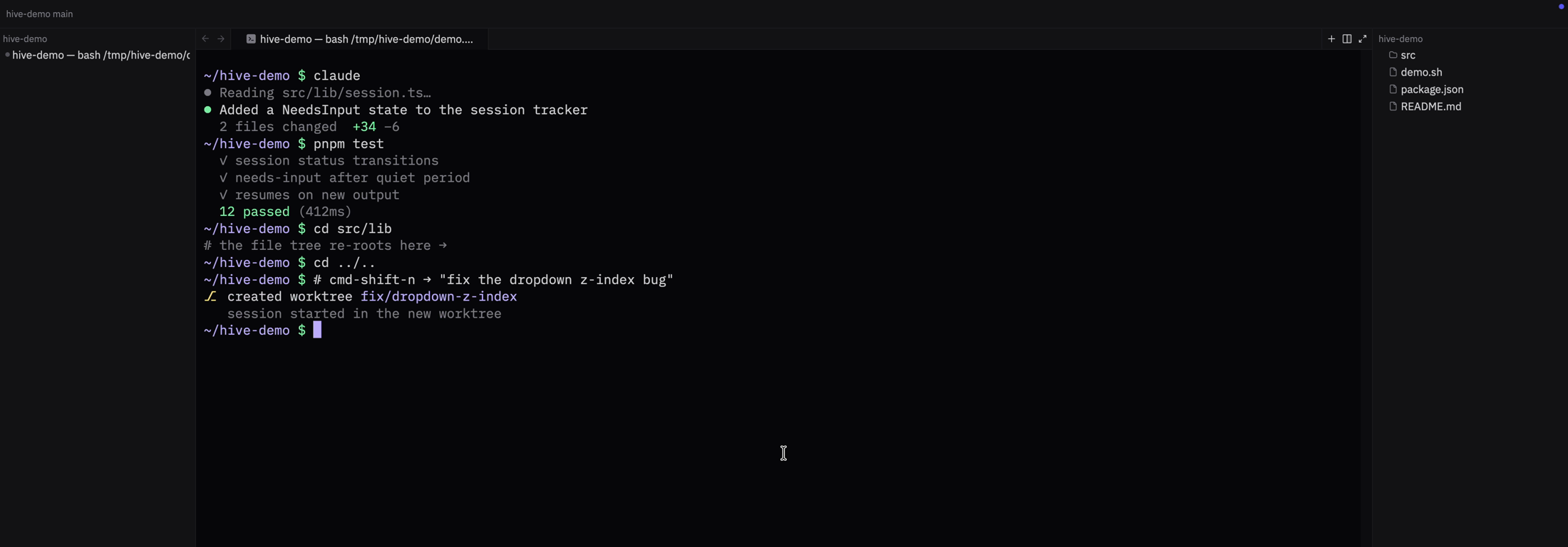
cmd-shift-n — a worktree with an AI-named branchcdEach session in the rail is a world of its own — terminals, files, git. Switch sessions and the whole tab strip swaps. Close Hive and reopen: everything comes back where you left it.
A spinner while your agent works, an instant notification the moment it finishes or needs you — bell-driven, like a terminal should be. Sessions even title themselves after what they're working on.
Signed, notarized, and self-updating straight from GitHub releases — every update is cryptographically verified before it touches your install. Worktrees, AI-named branches and the git suite included.
Stop alt-tabbing between your agent and your editor. Put the editor where the agent already lives.